

Active Directory (AD) remains the backbone of most enterprise environments, managing authentication and access for users, devices, and applications.
But while AD still provides both users and administrators with a centralized control plane, its underlying security hasn’t evolved to match today’s threat landscape. Legacy protocols, complex permissions, and limited visibility make AD an attractive target for attackers and a persistent security challenge for IT and IAM teams
As a result, organizations are investing heavily in strengthening AD hygiene by continuously auditing configurations, privileges, and credentials to ensure attackers can’t turn overlooked weaknesses into entry points.
In this post, we’ll look at what strong AD hygiene really means, why it’s so critical, and how modern identity security platforms like SIlverfort can help sustain it.
Maintaining Proper AD Hygiene is Essential
AD hygiene refers to the set of practices and measures implemented to ensure the cleanliness, organization, and security of an organization’s AD environment. It exists to prevent, detect, and respond to security threats that originate within the AD infrastructure. A properly maintained AD security hygiene program is essential for an organization’s overall security hygiene against identity security threats.
A fundamental aspect of AD hygiene is regular auditing and monitoring, cleaning up of inactive or orphaned accounts, enforcing strong password policies, and monitoring user activities. This involves conducting periodic reviews of AD configurations, user accounts, group memberships, and access permissions to identify any malicious activities or anomalies. These efforts help uncover anomalies and potential indicators of compromise before they escalate.
Failure to manage AD effectively can lead to a myriad of identity security risks, with one of the most significant being a lack of visibility into user accounts, permissions, behaviors, and their associated risks.
Without clear insight into who has access to what and why, teams struggle to detect excessive privileges, lateral movement paths, or high-risk accounts that attackers can leverage. For example, stale or orphaned accounts, unauthorized access privileges, and other types of risk accounts can go undetected, leaving an organization exposed to identity threats.
Silverfort’s AD Hygiene Capabilities
Silverfort helps organizations proactively strengthen their Active Directory hygiene by automatically discovering all user accounts, service accounts, and other identities within the AD environment. Silverfort’s native integration with AD provides complete, centralized visibility into every authentication and access request across all users, resources, and systems.
With this unified view, teams can quickly identify high-risk accounts, misconfigurations, and potential abuse paths that attackers might exploit. Silverfort’s user inventory highlights all account types, associated resources, and security weaknesses, enabling admins to pinpoint and prioritize risk remediation while continuously improving their AD hygiene posture.
By delivering actionable insights and enabling proactive identity risk management, Silverfort significantly reduces the attack surface within AD and strengthens the organization’s overall resilience against identity-based threats.
5 Ways Silverfort Can Help You Strengthen Your AD Hygiene Posture Management
1. Detect Shadow Admins
Shadow admins are users who possess admin privileges you may not be aware of, which is often due to ACL inheritance or nested group memberships. These hidden privileges create serious security blind spots.e aware of due to ACLs or nested groups.
How does Silverfort detect shadow admins? Silverfort automatically detects shadow admin accounts by analyzing their effective privileges and granted permissions across both on-prem and cloud environments. This helps teams to surface and remediate risky accounts that would otherwise go unnoticed.
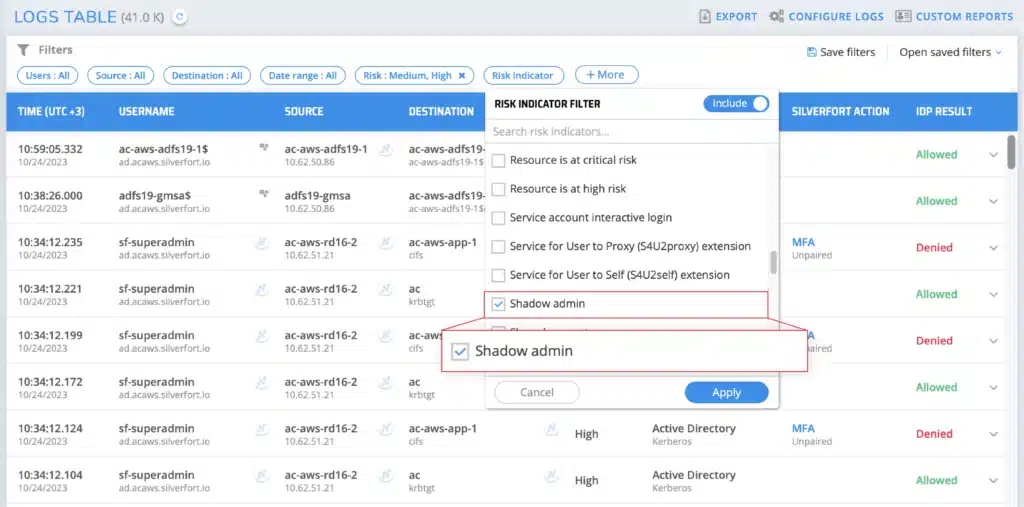
Customer Example: At a Fortune 500 financial company, Silverfort uncovered 109 hidden shadow admins created by a single AD misconfiguration. By identifying and removing their excessive privileges, the organization significantly reduced its attack surface.
2. Reducing NTLMv1 Usage
NTLMv1 is inherently insecure due to its use of weak encryption (DES) to encrypt the session key. This encryption type can be easily broken, and the user’s password can be extracted.
How does Silverfort detect NTLMv1? Silverfort monitors all authentications processed by Active Directory without using event logs. It identifies which devices are sending NTLMv1 authentication requests and sends alerts to the logs screen inside the Silverfort platform.
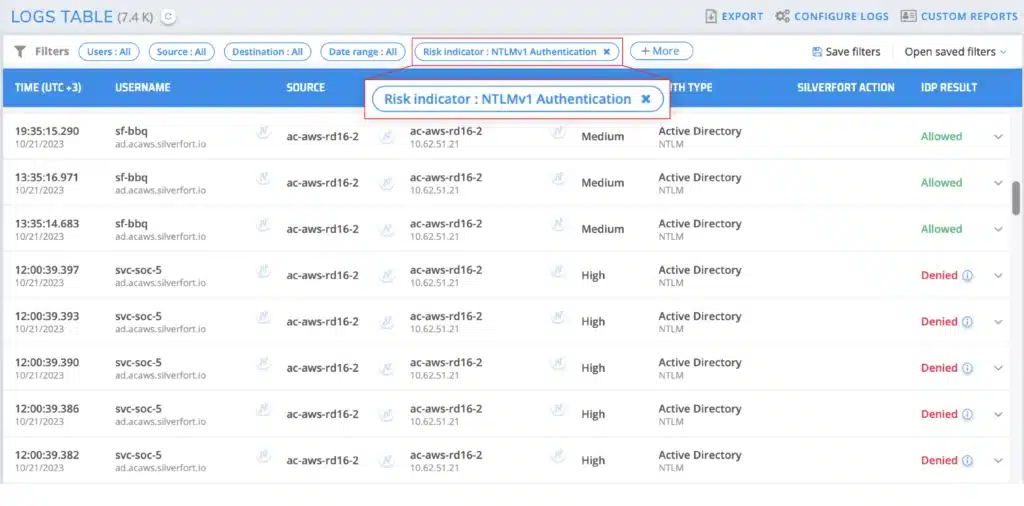
Customer Example: In a leading global manufacturer’s environment, Silverfort discovered that 5–8% of admin users were still authenticating via NTLMv1. With ongoing monitoring and reporting, the team successfully reduced and began phasing out NTLMv1 use entirely.
3. Discover Stale Users
Stale users are accounts that have not been used for a while; for example, former employees’ accounts that have not been disabled. Certain types of stale accounts are difficult to identify unless you can monitor their authentication activity. As an example, identifying service accounts is difficult since their information is not available natively.
How does Silverfort detect stale users? By continuously analyzing authentication activity and cross-referencing account data, Silverfort automatically identifies stale users who have shown no recent activity.
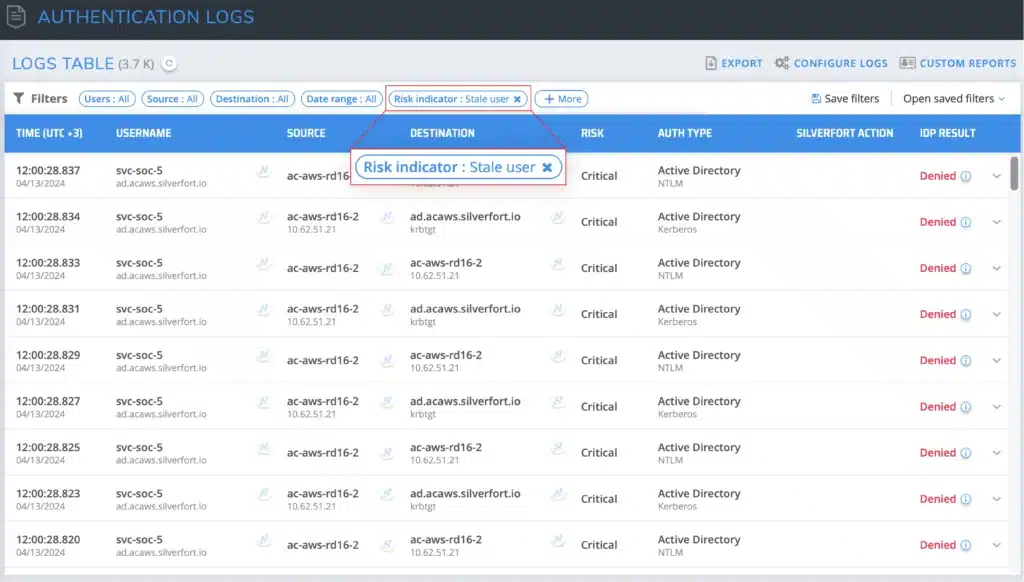
Customer Example: At a leading US retail company, Silverfort identified that 13% of user accounts were stale users who had not performed any recent activity. This helped the company to clean up its Active Directory by disabling/removing the unused accounts, which ultimately helped decrease licensing and minimize costs.
4. Disable Admins with SPN
Having a Service Principal Name (SPN) associated with an admin account can expose it to a Kerberoasting attack, where an attacker requests the Kerberos ticket and obtains a payload encrypted by the user’s password hash. Attackers can then brute force this payload to expose the credentials and compromise the account.
How does Silverfort detect Admins with SPN? Silverfort detects these types of accounts by monitoring authentication events involving Service Principal Names (SPNs) within the network. It utilizes behavioral analytics and user behavior profiling to identify deviations from normal patterns, such as unusual access requests or privilege escalation attempts associated with admin privileges.
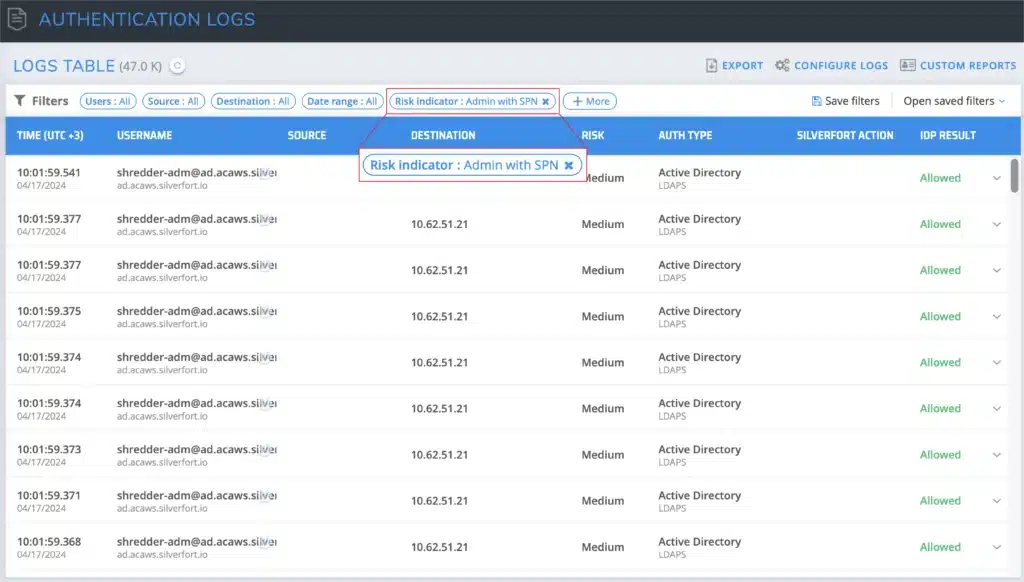
Customer Example: In a large healthcare provider’s environment, Silverfort discovered eight admin accounts with SPNs that were previously unknown to the customer. Removing these accounts minimized exposure to Kerberoasting and improved overall AD security posture.
5. Removing PrintNightmare
PrintNightmare is a critical security vulnerability affecting Windows’ Print Spooler service that allows remote code execution and could lead to unauthorized access or system compromise.
How does Silverfort detect bad authentications from patched Print Spooler services? Silverfort detects PrintNightmare by analyzing authentication events and abnormal service behavior and triggering alerts for further investigation and mitigation. Microsoft explains how to fully mitigate PrintNightmare, but with Silverfort you can completely skip the problematic network packet capture as it will alert on all the bad Print Spooler authentications.
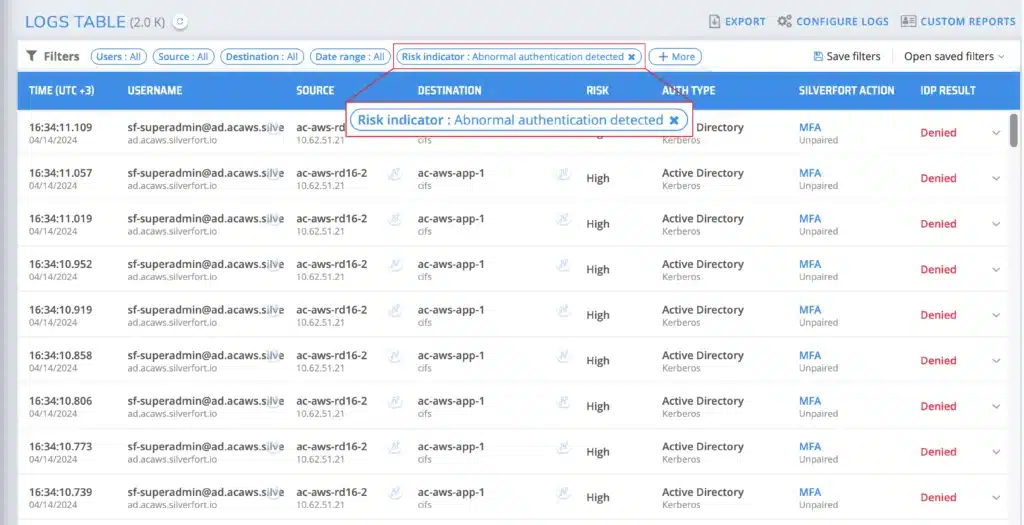
Customer Example: A large US school district detected active PrintNightmare exploitation attempts through Silverfort’s monitoring. After remediation, the organization reduced unnecessary authentications by 70%, restoring security and efficiency.
Real-Time Visibility and Actionable Insights are Critical for AD Hygiene
Maintaining strong Active Directory hygiene and strengthening identity security posture management requires having end-to-end visibility and actionable insights across all your users and resources. Without a complete view of authentication activities and account behaviors, organizations risk leaving hidden exposures that attackers can exploit.
When you have clear visibility and real-time insights into your AD user base, you can take proactive steps to ensure that your user base is not opening the door to identity threats. Additionally, this will strengthen your overall identity security posture management (ISPM)
By investing the resources to step up your AD hygiene, you will ensure its cleanliness and security are up to date to prevent your AD environment from being compromised and used as a gateway for attackers to gain unauthorized access to sensitive data.
Looking to strengthen your AD hygiene and gain complete visibility across your environment? Reach out to one of our experts here.